Browser Sessions (Audit)
The Browser Sessions tab is the audit view of human portal access. Every sign-in to the InfraScout portal — through MSAL — produces a row here, with the user, the source IP, the browser, and the duration. Use it to confirm a colleague is in, to spot an unfamiliar IP, or to investigate a suspected credential exposure.
The tab carries two views — Active (default) and History — switched from a chip in the page header.
Active view
The default view shows every browser session that is connected right now.
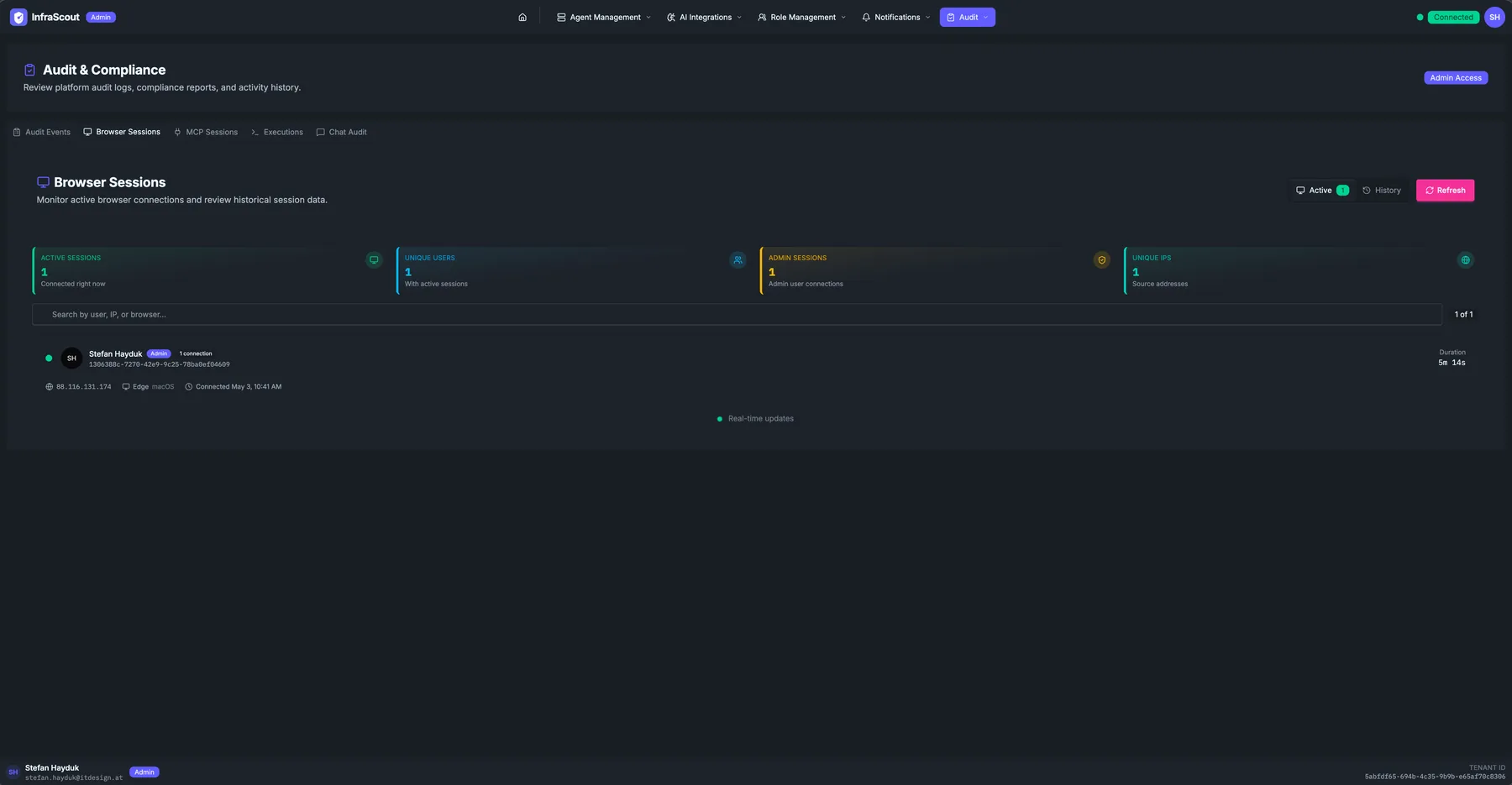
The KPI strip across the top summarizes the live state:
- Active sessions — currently connected.
- Unique users — distinct identities behind those sessions.
- Admin sessions — sessions whose user holds an admin role (also chipped on the row itself).
- Unique IPs — distinct source IPs.
Each row carries the avatar and display name, an Admin chip when applicable, the connection count for that user, the source IP and ASN, the browser engine, the OS chip, the started-at timestamp, and a Duration column updating live. A Real-time updates indicator at the bottom of the table tells you the SSE stream is healthy.
The view distinguishes the native InfraScout iOS app from a web browser: an app session reads as iOS App on iOS rather than a generic browser with a blank OS, so you can tell at a glance whether someone signed in from their phone or their desktop. Mobile browsers are classified correctly too — Chrome on Android reports Android, and Safari on iPhone reports iOS. Background: Portal Polish.
History view
Click History to flip the same table into the historical query view.
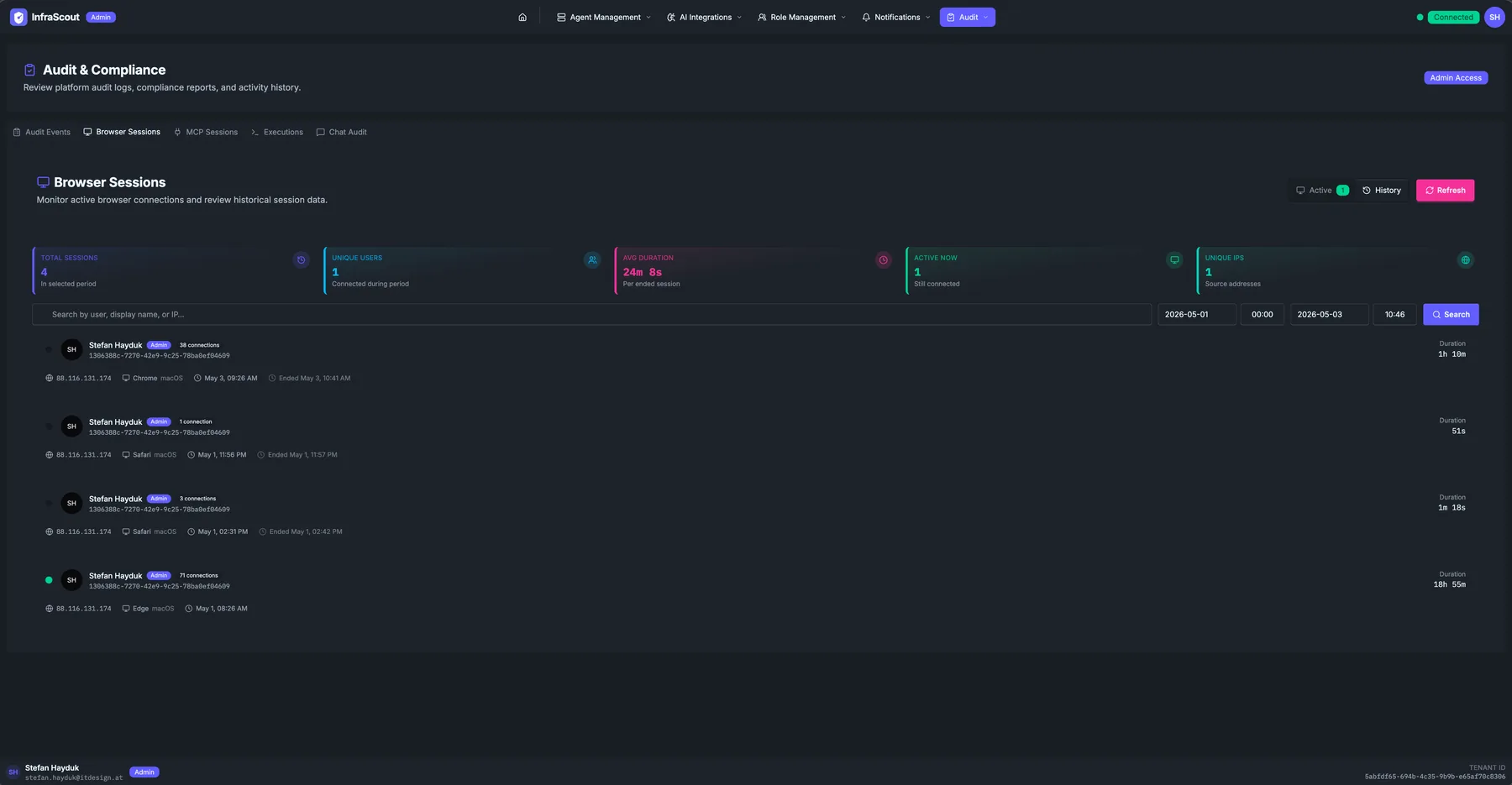
The KPI strip shifts to historical math:
- Total sessions — closed sessions in the selected period.
- Unique users — distinct identities in the period.
- Avg duration — mean session length.
- Active now — currently connected (mirrors the Active view).
- Unique IPs — distinct source IPs in the period.
The header gains a date range picker (default: last 30 days) with two date and two time pickers, plus a Search button to apply the filter. A free-text Search box matches user, IP, or browser. The table layout matches the Active view, except every row carries a closed Duration and the SSE indicator is hidden — history is a snapshot, not a live stream.
Common workflows
Three patterns we see most often: "who is in the portal right now" (Active view, scan the user list), "investigate a suspicious sign-in last Tuesday" (History view, narrow the date range, search by user or IP), and "capture an evidence export for compliance" (History view, set the period, screenshot the table — there is no native CSV export on this tab; use the broader audit events feed for structured exports).