Agent Update Policies
Update policies decide when an agent is allowed to update itself. A policy bundles a schedule window, a delay, an allowed-day set, and a target agent group. Agents fall under the highest-priority policy that targets one of their groups.
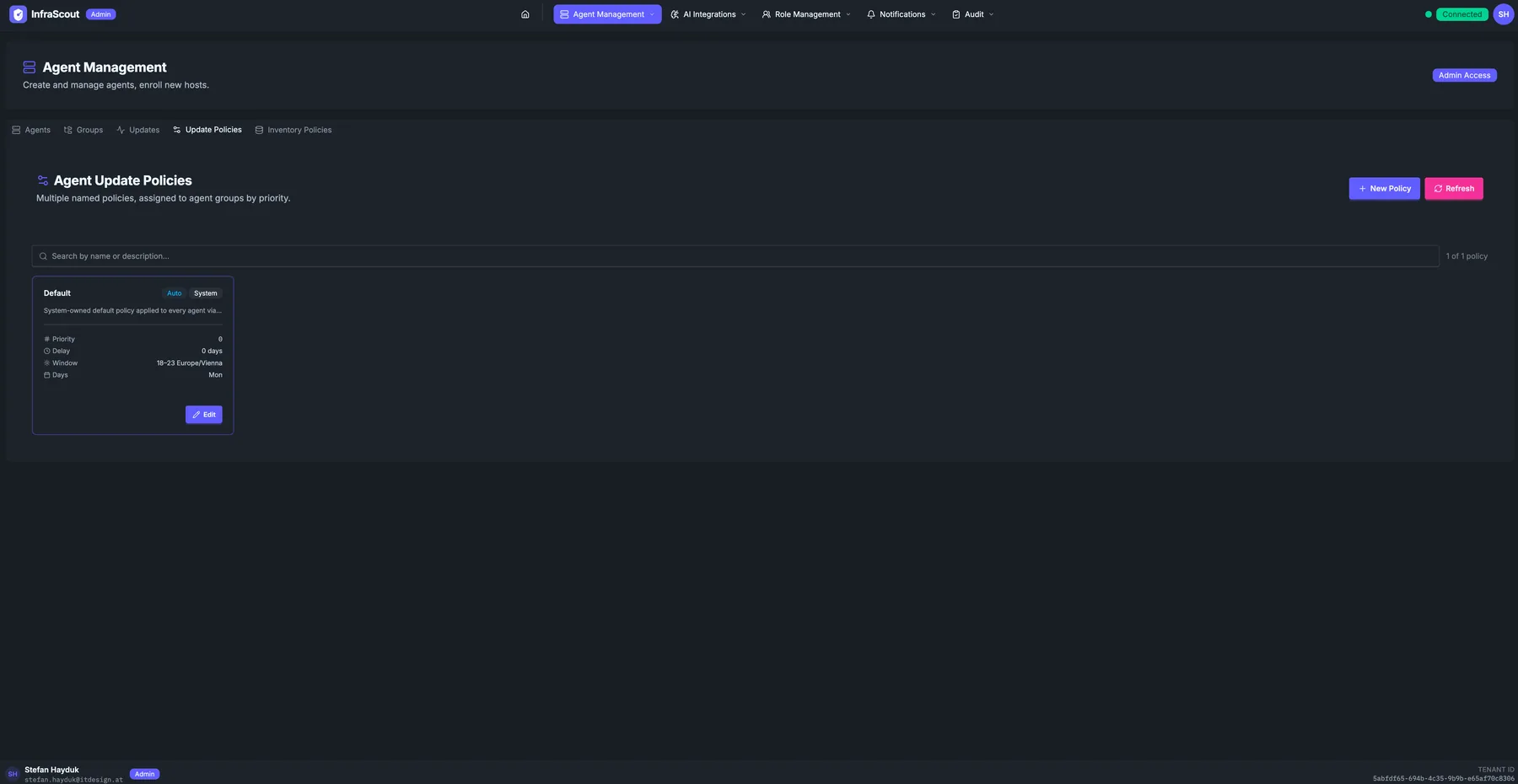
Layout
The page header carries the section title and the Admin Access chip; the tab strip puts you on Update Policies. Two header buttons sit above the policy list: New Policy and Refresh. A free-text Search box filters by name or description.
The body is a list of policy cards, sorted by priority. The total count (1 of N policies) reflects active filters. A System chip on a policy means it is owned by InfraScout itself and edited only through this UI.
What a policy controls
Every policy has the same four levers:
- Priority — lower numbers win. Priority
0is the system default. When an agent matches multiple policies, the one with the lowest priority number applies. - Delay — how long after a new version is published the policy waits before scheduling the agent. 0 days means "immediately". 7 days lets you bake a release on the staging fleet first.
- Window — the time-of-day window in which an update is allowed to start. 18–23 Europe/Vienna means updates may start between 18:00 and 23:00 local Vienna time.
- Days — the days of the week the window is open. Mon means Monday only; values stack as needed (Mon, Wed, Fri).
The example screenshot shows the system-owned Default policy: priority 0, delay 0, window 18–23 Europe/Vienna, allowed day Monday — applied to every agent that has no more specific policy.
How policies match
Each policy targets one or more agent groups. The agent's group memberships (from the Agent Groups tab) are evaluated against every policy; the highest-priority match wins, with ties broken alphabetically by policy name. The system Default policy sits at the lowest priority and targets the system All Hosts group, so it covers every agent that no higher-priority policy claims.
To pin a specific group to a different schedule, create a new policy with a higher priority number than the Default, target that group, and set the window/delay/days you need. Existing agents pick up the new policy on their next heartbeat.
Common workflows
The most common edits are "shift the production window to 02:00–04:00" (lower-priority policy targeting the production agent group) and "freeze updates during a release week" (set the Days field to an empty allowed-day set, drop priority below the default). Removing the policy reverts targeted agents to whatever lower-priority policy still matches them.