MCP Sessions (Audit)
InfraScout's MCP server is the surface external AI clients (Claude Desktop, Claude Code, the in-portal chat) use to drive assessments. Every connection to that server creates an MCP session row, captured here for audit purposes.
Like Browser Sessions, this tab carries two views — Active and History — switched from a chip in the page header.
Active view
The default view lists every MCP client that is connected right now.
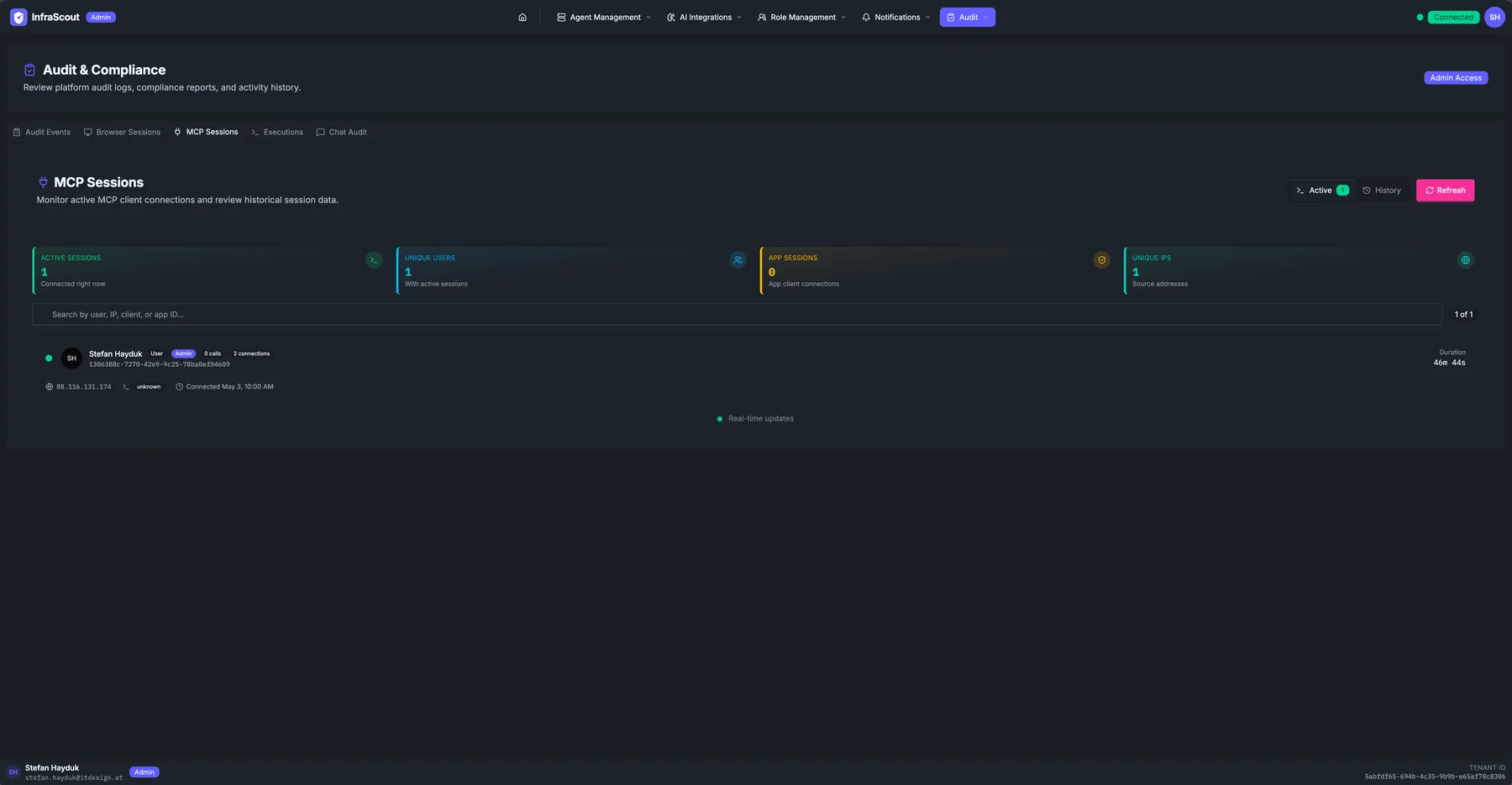
The KPI strip across the top:
- Active sessions — currently connected MCP clients.
- Unique users — distinct identities behind those sessions.
- App sessions — sessions whose principal is a service principal rather than a human (typically zero in healthy tenants where the in-portal chat is the main consumer).
- Unique IPs — distinct source IPs.
Each row carries the avatar and display name, the role chip (User, Admin), a calls counter (cumulative number of MCP tool calls in this session), a connections counter (the SSE reconnect count over the lifetime of the session), the source IP and ASN, a client chip (the calling app's name, often unknown for ad-hoc CLI clients), the started-at timestamp, and a Duration column updating live.
The Real-time updates indicator at the bottom of the table confirms the SSE stream is healthy.
History view
Click History to flip into the historical query view.
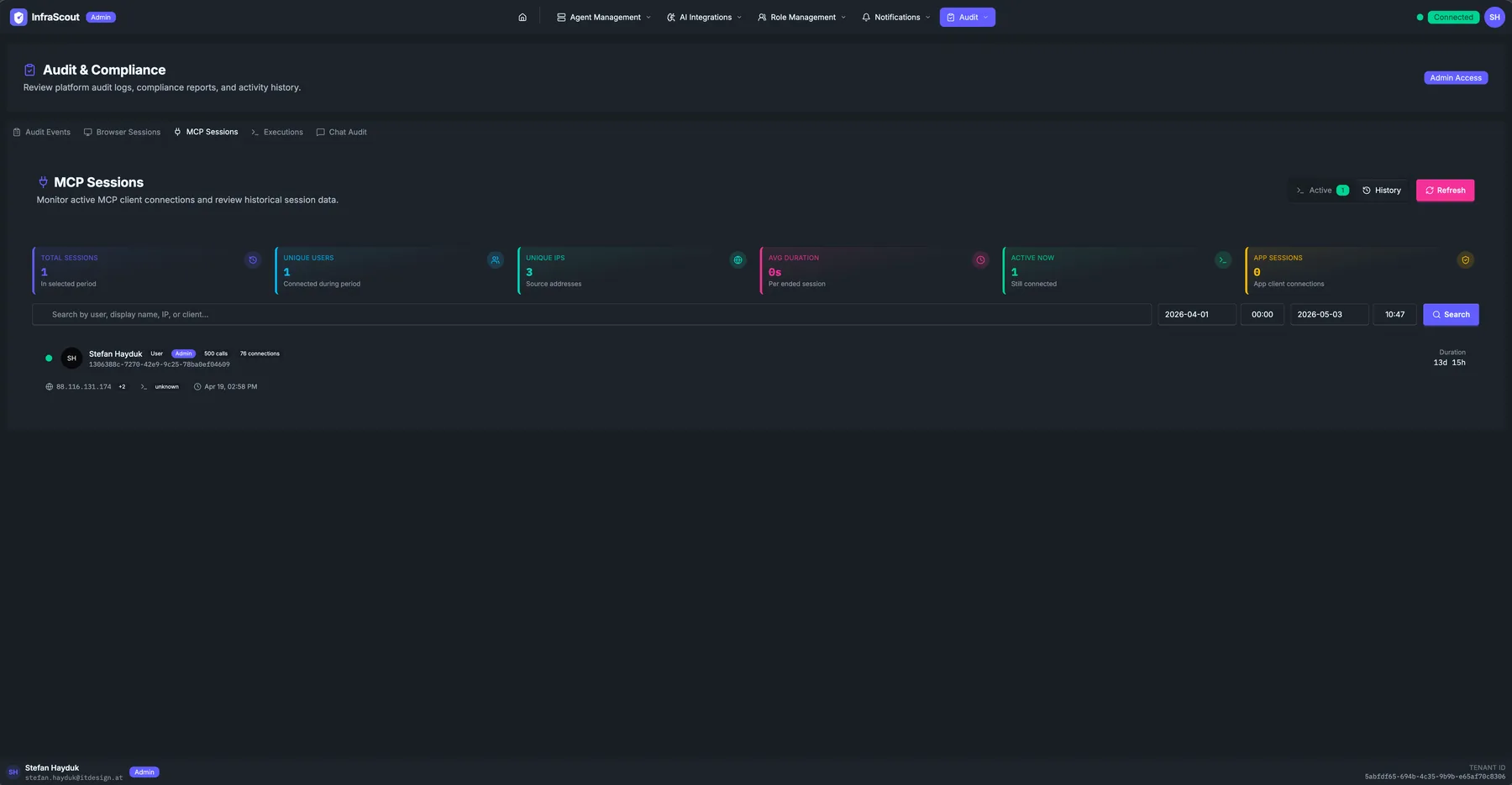
The KPI strip shifts:
- Total sessions — closed in the selected period.
- Unique users — distinct identities.
- Unique IPs — distinct source IPs.
- Avg duration — mean session length per ended session.
- Active now — currently connected (mirrors the Active view).
- App sessions — service-principal sessions in the period.
The header gains the same date range picker as Browser Sessions, plus a free-text search across user, display name, IP, or client. Each row carries the same fields as the Active view with a closed Duration; the SSE indicator is hidden.
What a "call" actually is
Each MCP tool invocation — agent_exec_powershell, mscloud_identity_list_users, inventory_list_software, and so on — counts as one call. The number is a useful signal of how heavily a session leaned on InfraScout's tools. A session with zero calls is a connection that initialized but never invoked anything (often a Claude Desktop window that opened the connection and was closed without prompting).
Common workflows
The three patterns: "is the in-portal chat connected" (Active view, expect at least one row per signed-in user using Chat), "how many tool calls did Friday's engagement make" (History view, narrow the date range, sum the calls column), and "investigate an unfamiliar app session" (History view, filter by the App sessions count and the source IP — a non-zero app-session count where you expected zero is the signal to investigate).